- OpenCol
- Changelog
Changelog · 0.11.0 and after
What OpenCol changes
Everything OpenCol does differently from the DOS game (Sid Meier's Colonization, version 3.0, February 1995), by part of the game, and then release by release.
What stays the same: the rules (but for the original's clear bugs, and the rule options you choose: docs/VISION.md), the computer players, the screens, the pictures, the music and the sound. Recorded games played by the original and by OpenCol agree turn by turn, and OpenCol loads the original's saved games and maps.
Each change says the release it came in; (next) is on main and comes in the next release.
Most of the new things can be turned off in Settings, and then the game looks as the
original did.
Before and after #
The original on the left, OpenCol on the right. Pictures live in docs/changes/<change>/, as
before.png and after.png, or after.gif where the change is movement.
| The original | OpenCol | |
|---|---|---|
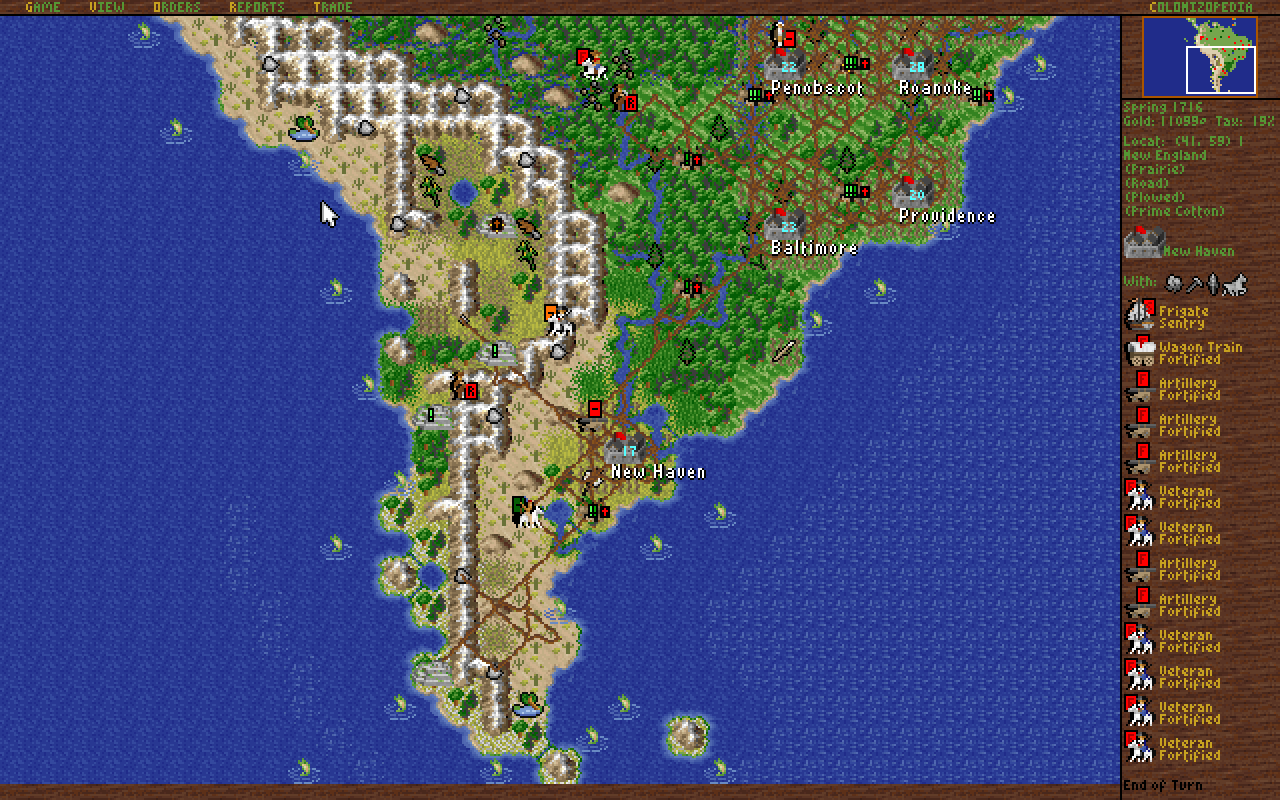
| Screen Size: more of the map at the same pixel size; here 640 x 400 (0.4) | 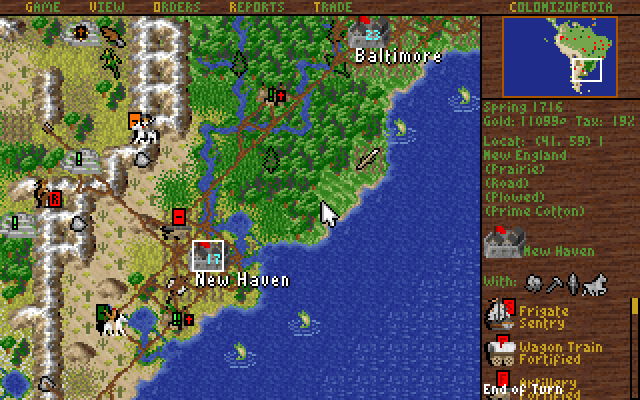 |
 |
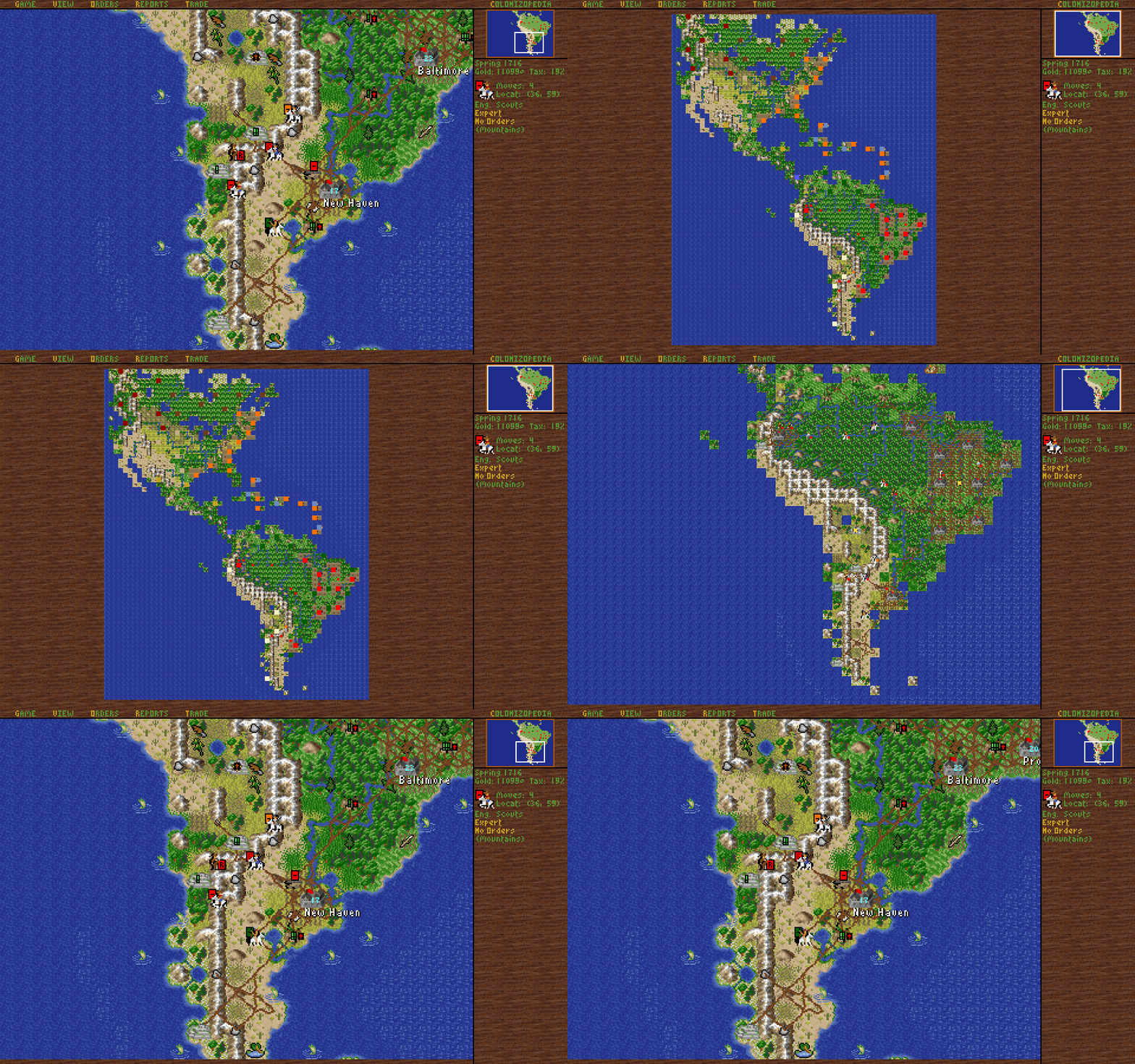
| World View: the map zooms by any amount at the pointer, out to the whole continent (0.9) | 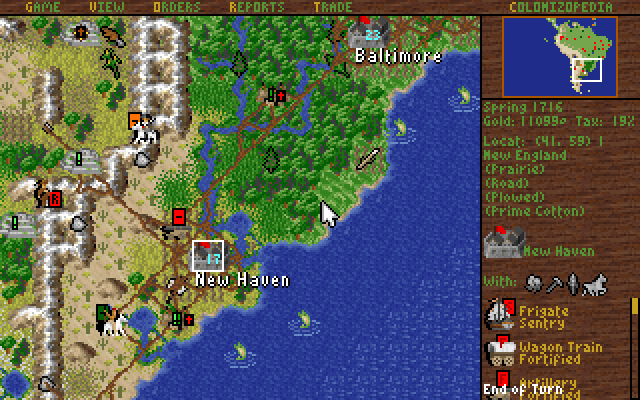 |
 |
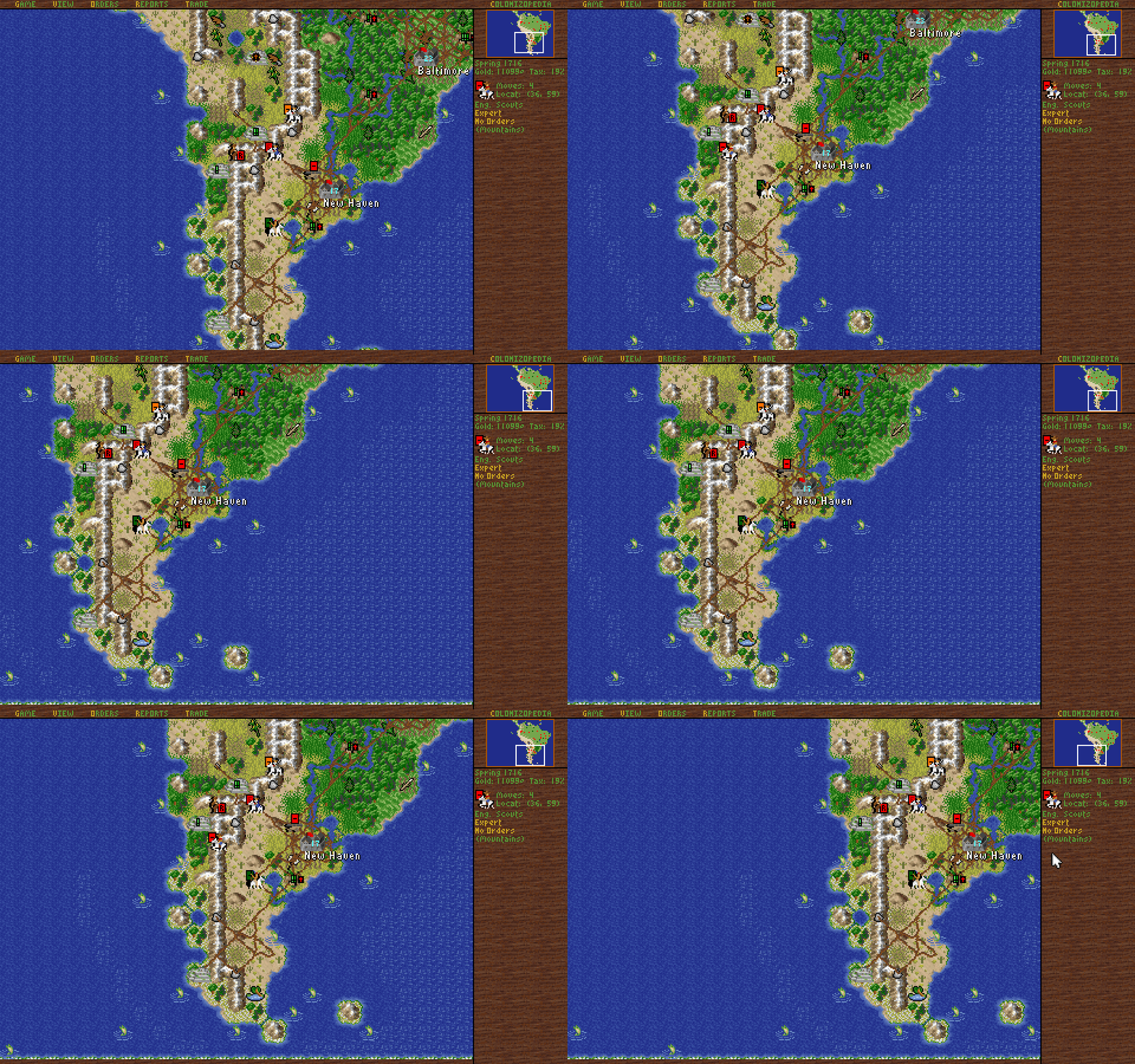
| Scrolling the map: hold the middle button and drag; it pans by the pixel (0.6, by the pixel 0.9) | 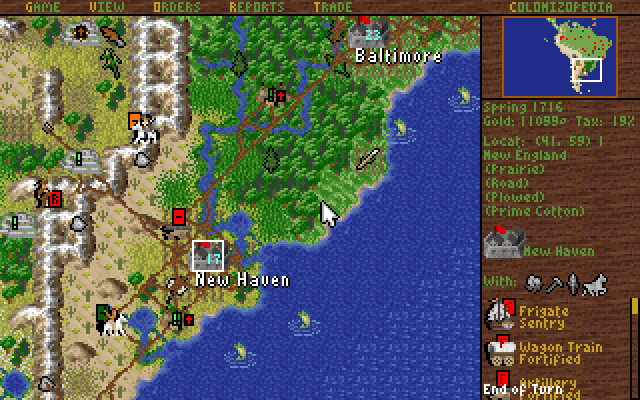 |
 |
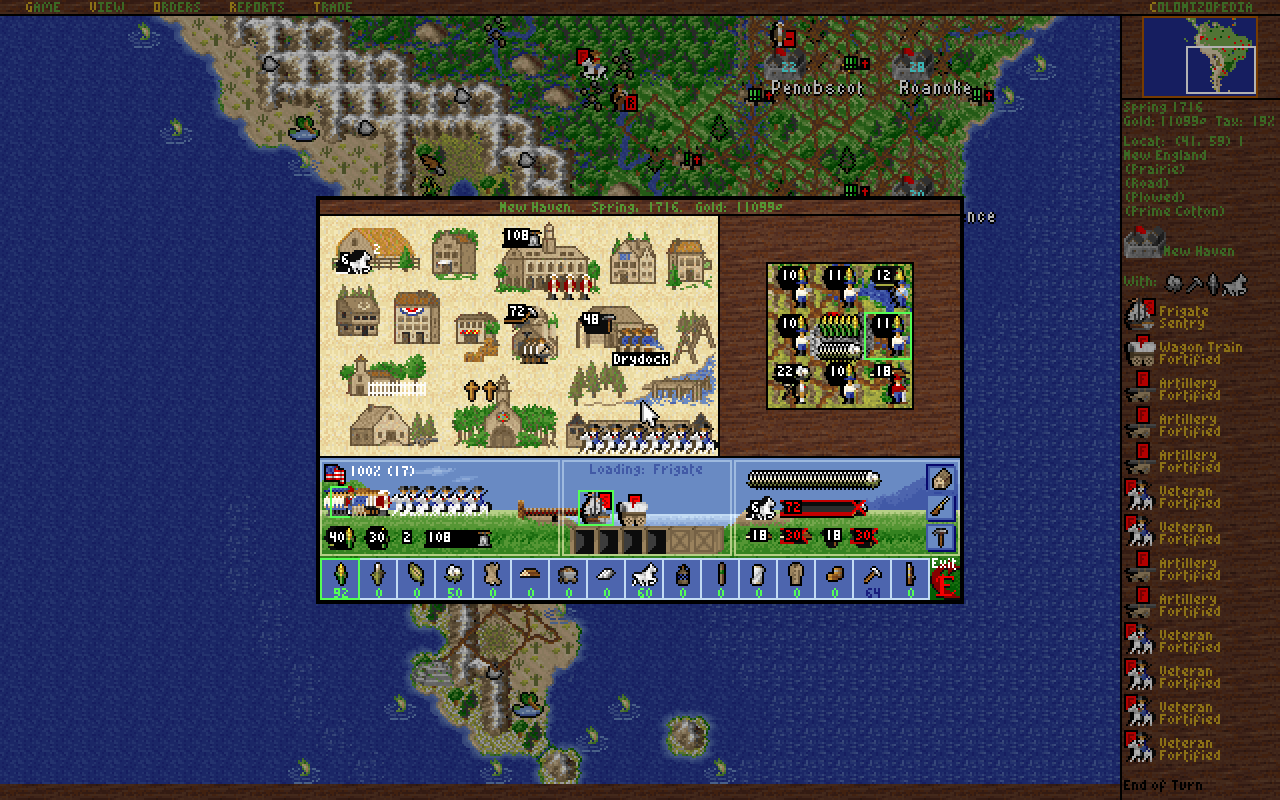
| Screens over the map: the colony in a window over the dimmed map (0.4) | 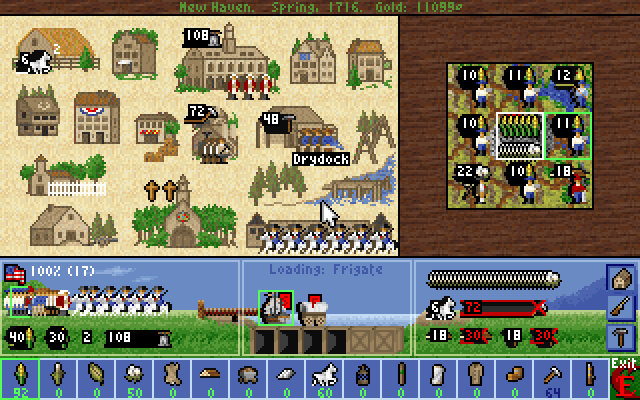 |
 |
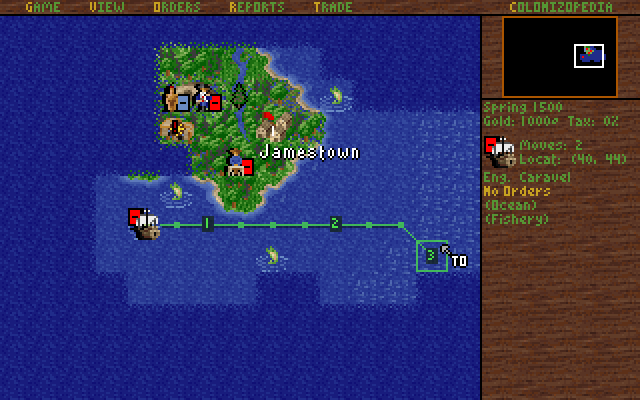
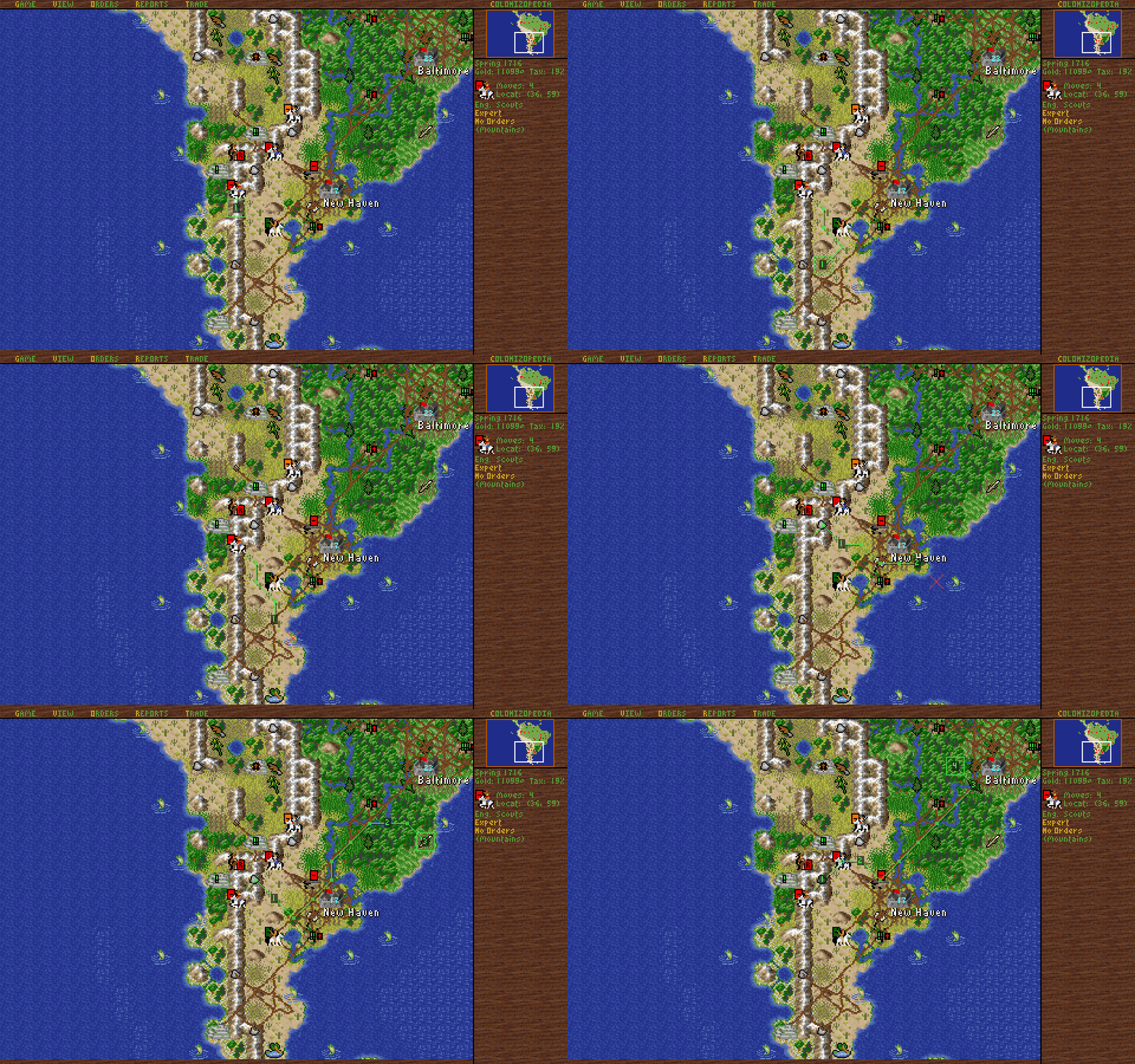
| The go-to route: the squares a unit will go through, and the turn it reaches each (0.6) | 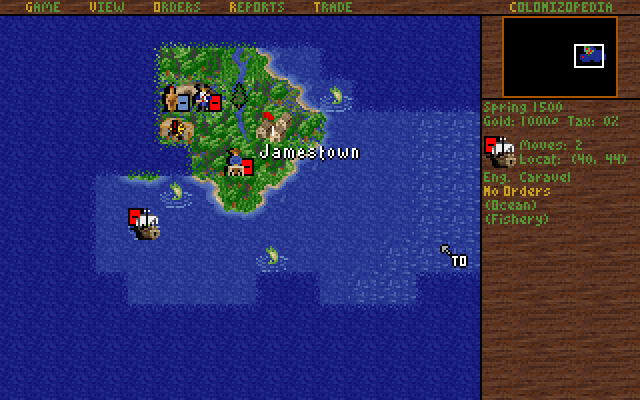 |
  |
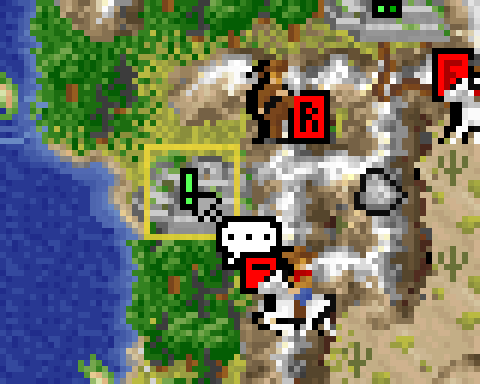
| Action cursors: while you drag a move, the pointer says what it will do; here a scout will talk (0.7) | 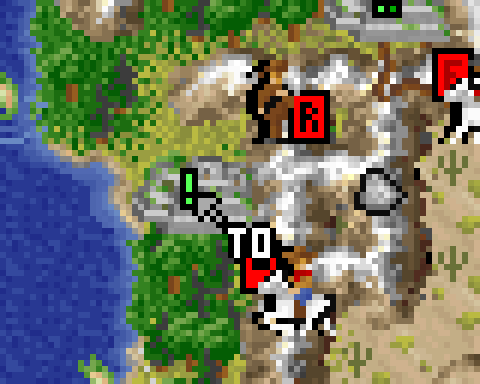 |
 |
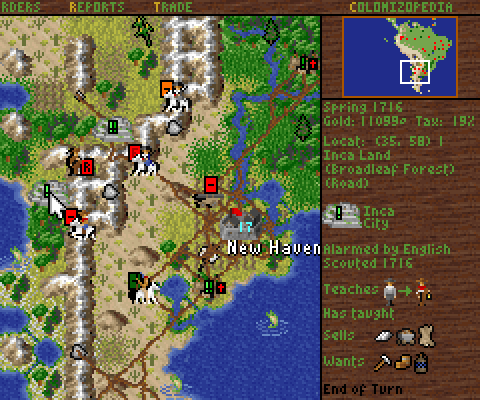
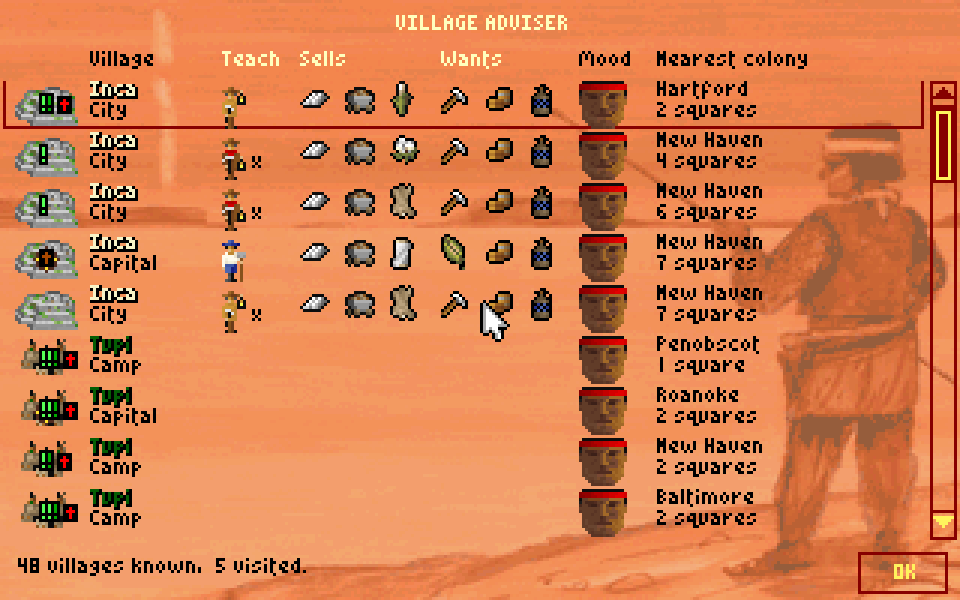
| Village notes: the sidebar remembers what the chief told you (0.6) | 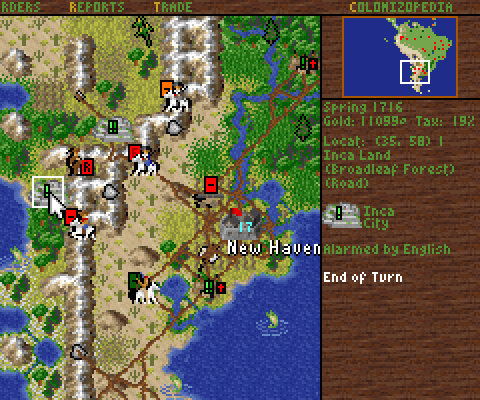 |
 |
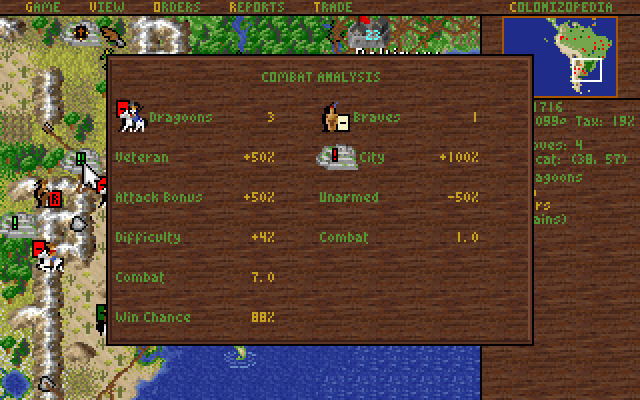
| Combat Analysis in full: every step of both strengths, each side's total and the chance to win (0.9) | 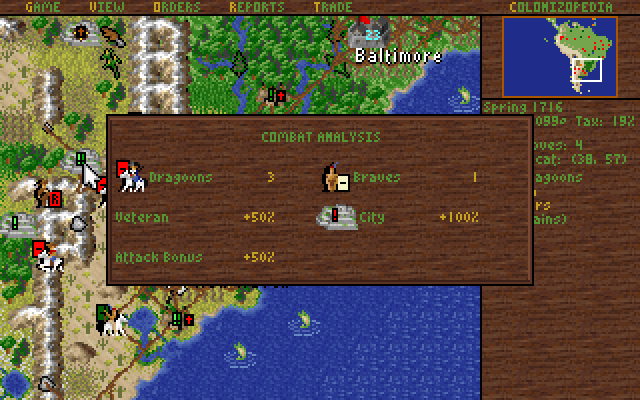 |
 |
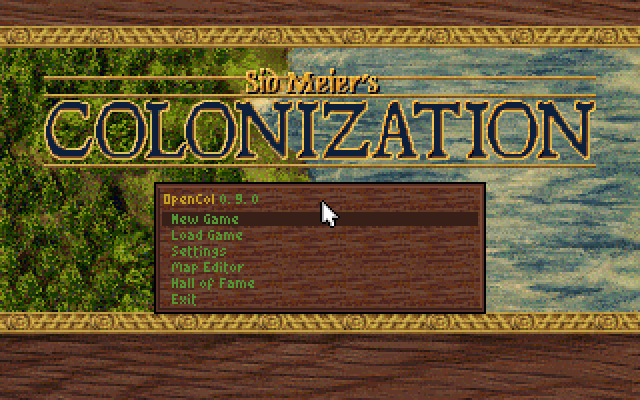
| The main menu: New Game, Load Game, Settings, Map Editor (0.6) | 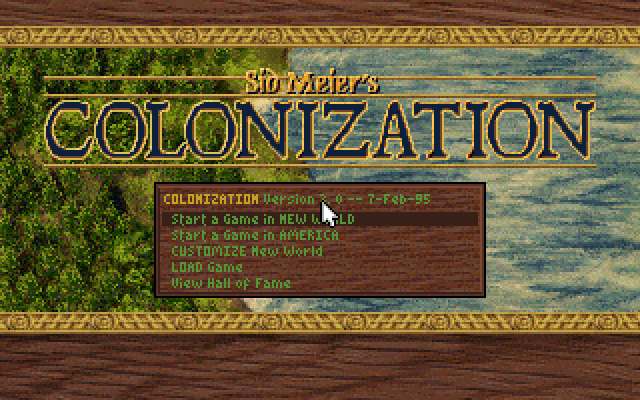 |
 |
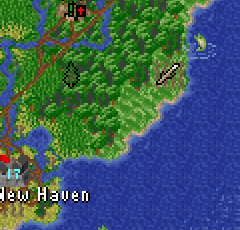
| The GAME menu: Settings, and Exit to Main Menu beside Exit Game (0.4, 0.6) | 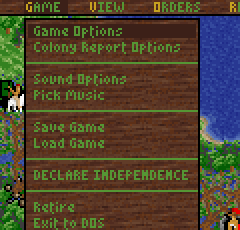 |
 |
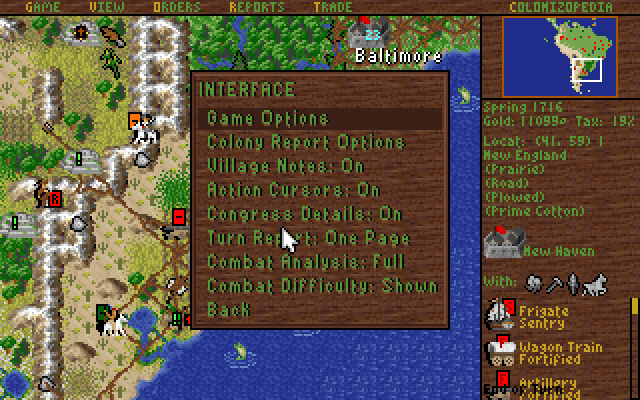
| Settings: five pages; here Interface, with OpenCol's own switches (0.6) | 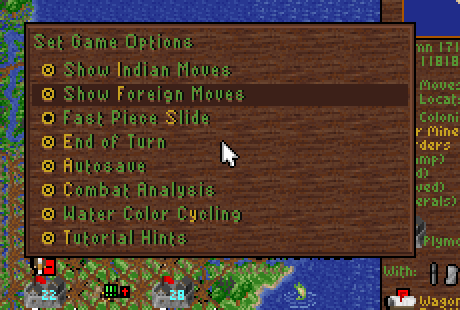 |
 |
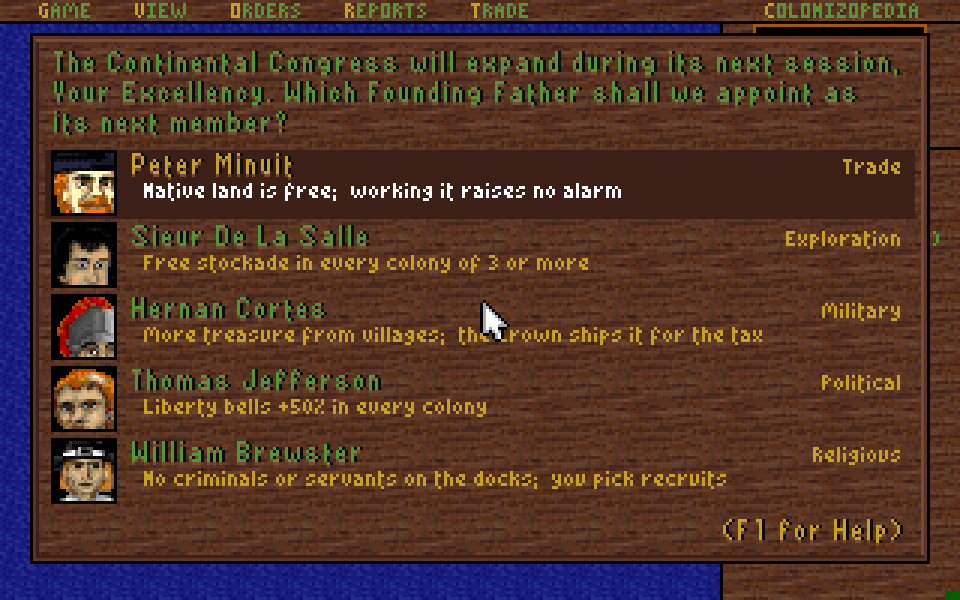
| Founding Fathers: faces, and what each would change for you now (0.8) | 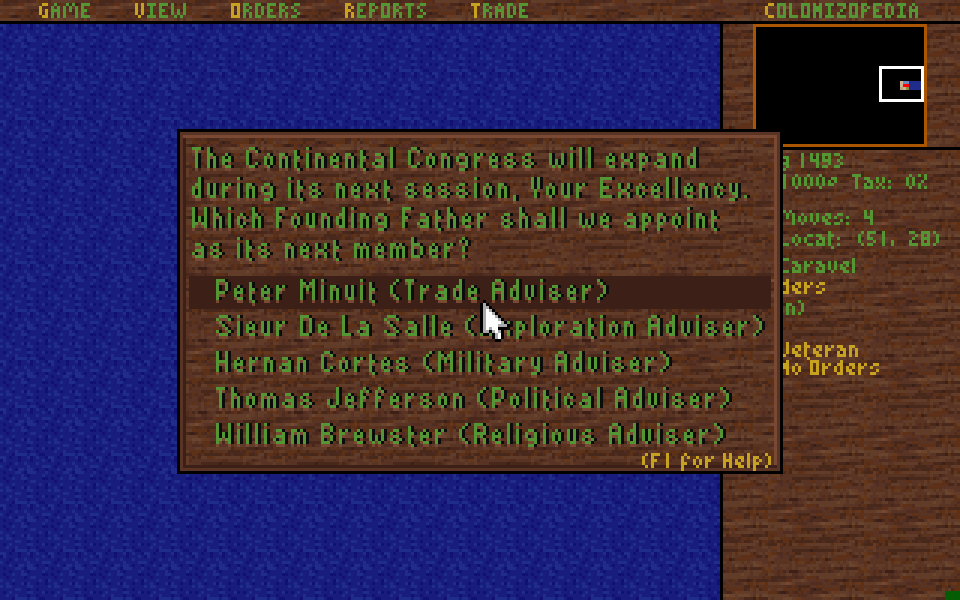 |
 |
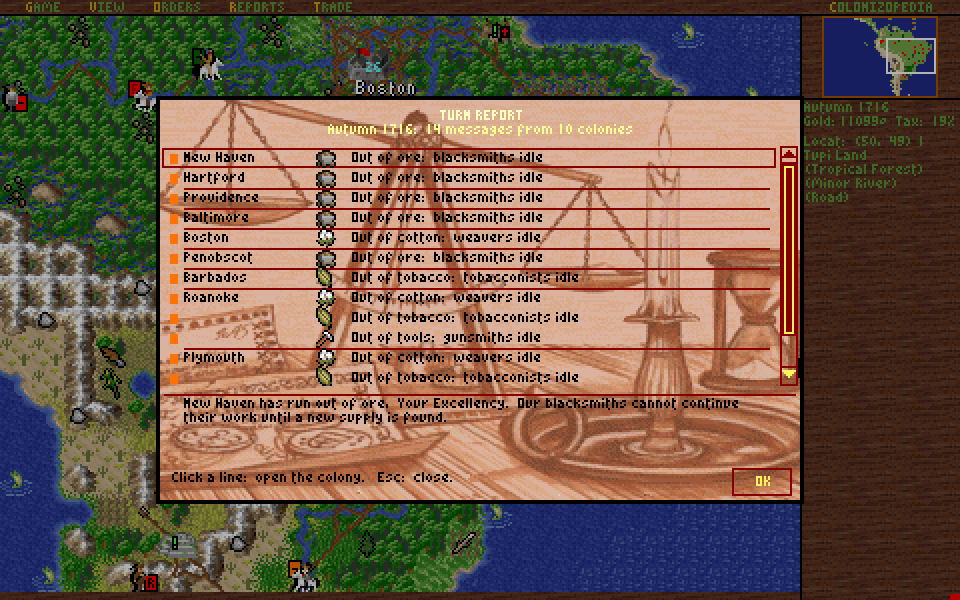
| Turn Report: the colonies' messages on one page, not one popup each (0.8) | 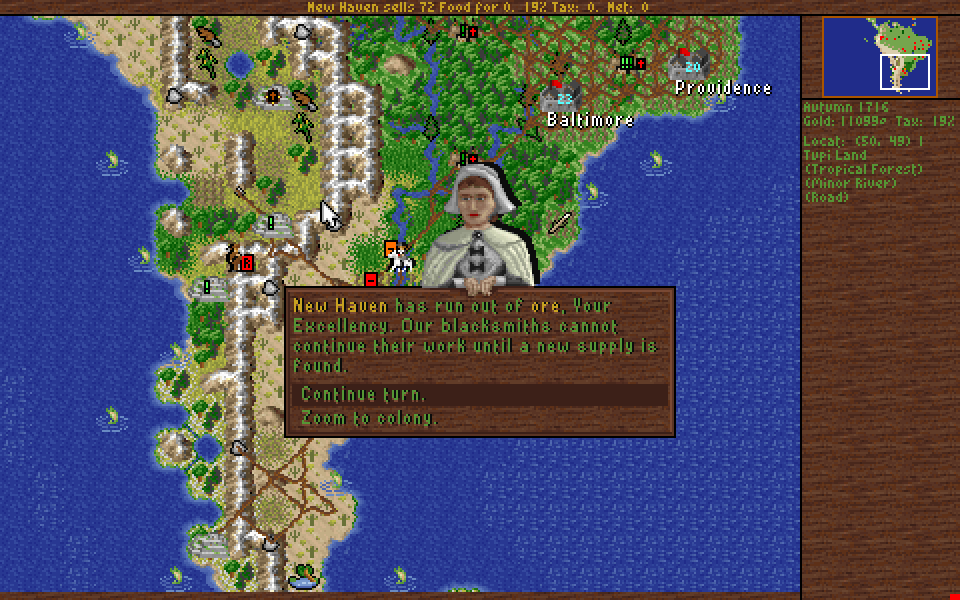 |
 |
| Scrolling lists: a scroll bar and the wheel, not pages (0.8) | 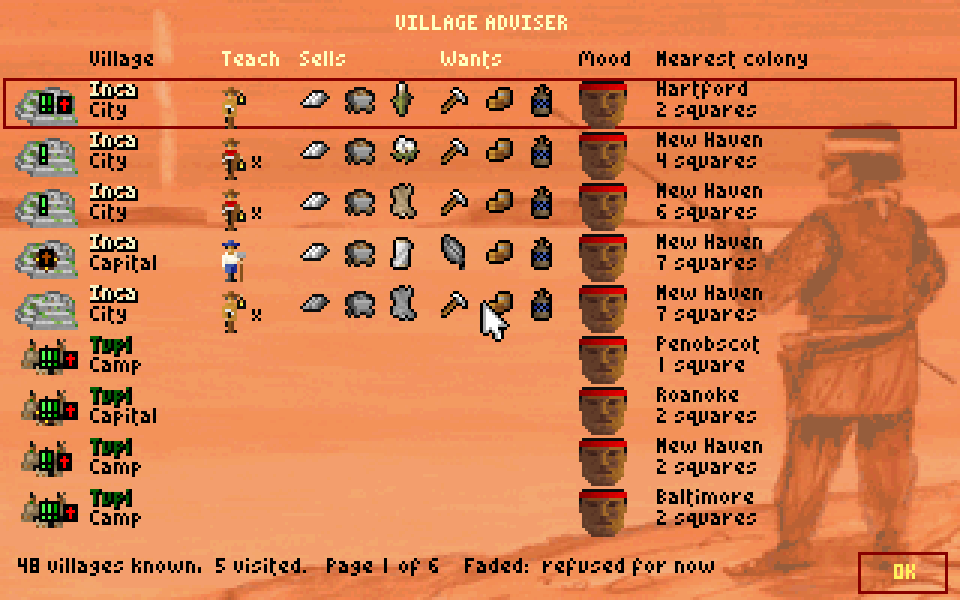 |
 |
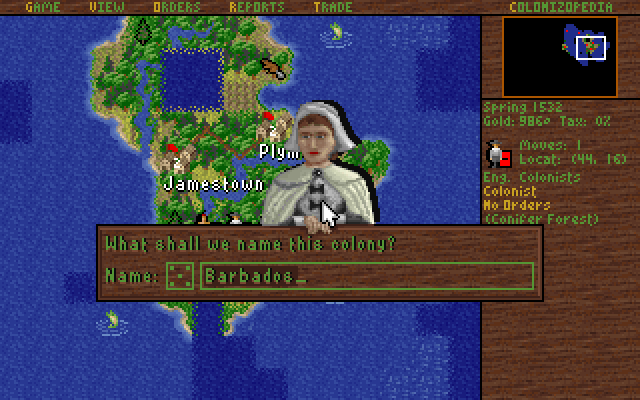
| A die for colony names: click it, or press Tab, for another random free name (0.11) | 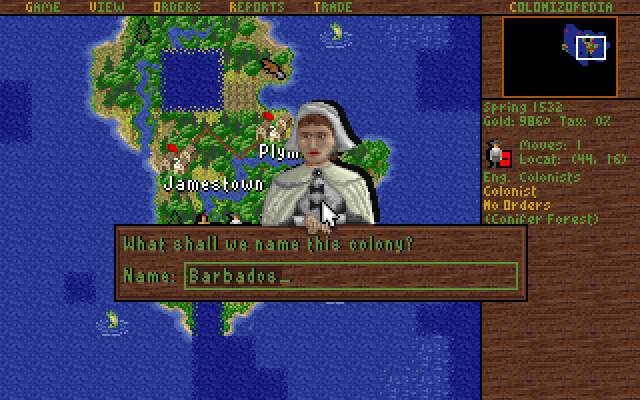 |
 |
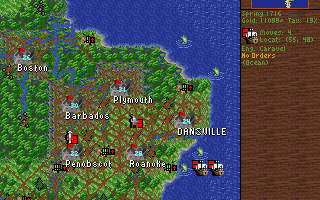
| Passengers stay aboard: an empty caravel sails away from a loaded one and no longer takes its colonist (rule option, 0.10) | 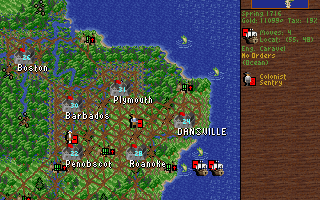 |
 |
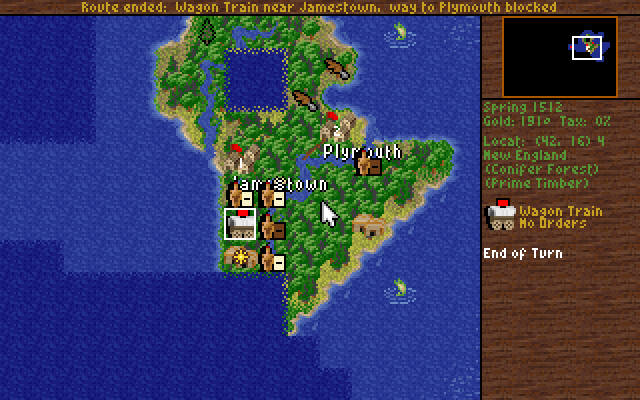
| Route ended: a wagon train or ship that leaves its trade route says why (0.11) | 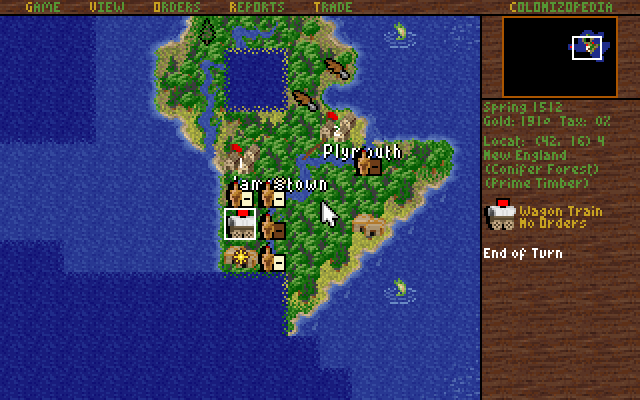 |
 |
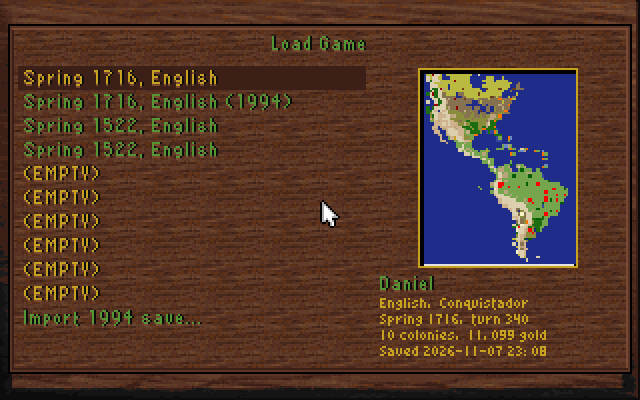
| Save browser: Load Game and Save Game show each saved game's map, nation, year, turn, colonies and gold (0.11) | 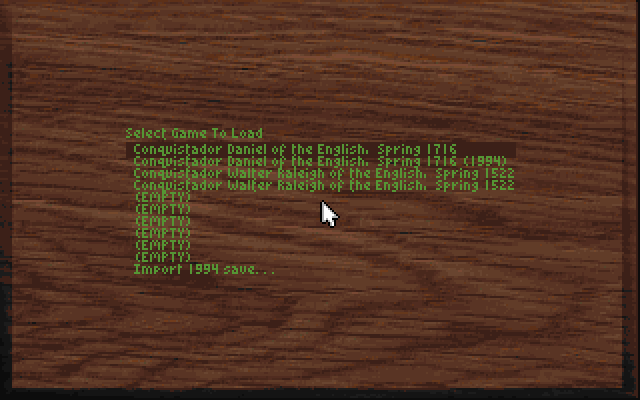 |
 |
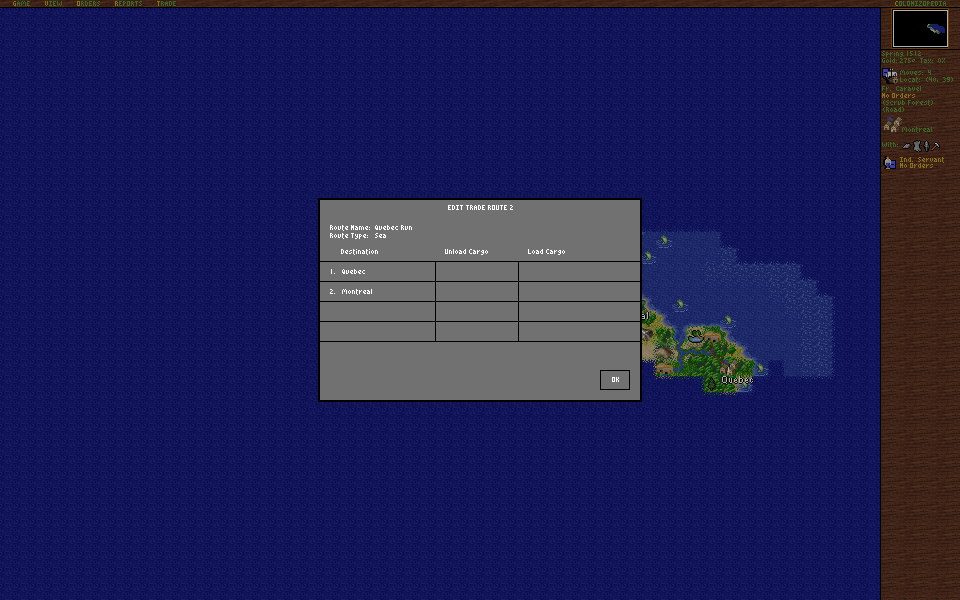
| The trade route editor at any screen size: a window over the map, not a box in its corner that a click on the map closed (0.11) | 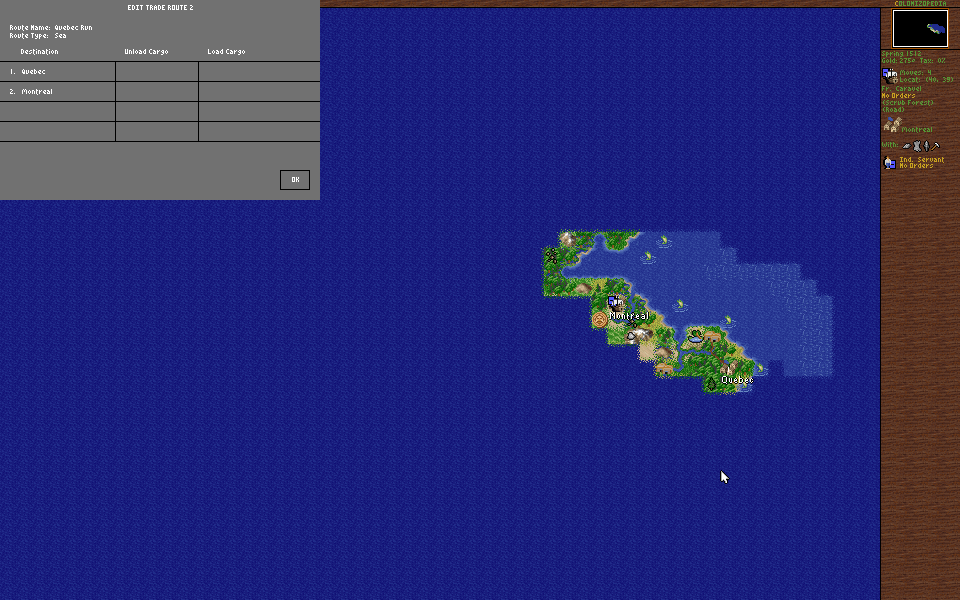 |
 |
Still without pictures: the volume sliders, Exit to Main Menu's question, the map editor's Place menu, trade routes and boycotts, ships leaving an abandoned colony.
Running it #
- A program for today's systems, with no DOSBox: Windows 10 and 11 (64-bit and 32-bit) and macOS 11 or later (Apple silicon and Intel); Linux built from source. (0.1, Windows and Intel Macs 0.2)
- In a window or full screen: F11 or Alt+Enter switches. (0.1)
- One file: the program carries everything it needs. (0.3.1)
- Start it from anywhere: the first time it asks for your game's folder, with your system's folder picker, and remembers it. Your game's folder is never changed. (0.5)
- Its own folder: saved games in
saves, maps inmaps, the settings (OPENCOL.INI) and the log beside the program, so a copy on a USB stick takes everything with it. (0.7;savesandmapsfolders 0.8) OPENCOL.INI: the settings as a text file in sections, each explained, that you can edit while OpenCol is closed. (0.7)OPENCOL.LOGand crash reports: every run is logged; a stop on an error writes aCRASH-...txtand says so, offering to open the folder. (0.6)- The command line:
--game,--save,--resolution,--fit,--scale,--aspect,--no-sound. (0.1-0.5) - The main menu's title shows OpenCol's version in place of "Version 3.0". (0.6)
The screen #
- Screen Size: more of the map. The original shows 15 x 12 squares at 320 x 200; OpenCol can show it at 640 x 400 (35 x 24), 800 x 600 (45 x 37), 1280 x 800 or the whole window, with the menu bar and the sidebar filling the screen and the sidebar listing more of a stack. (0.4)
- UI Scale: everything 1x to 6x larger. The first window is as large as fits your display, sharp on high-DPI screens. (0.4; the fitted first window 0.6)
- Fill the window by default: a new OpenCol's map fills the window, so a wide or larger window shows more of the map rather than black bands. Until you choose a UI Scale, it leaves the screen at least 360 game pixels tall. 320 x 200 stays in Screen Size. (0.9)
- World View: the map drawn whole and shown through a camera. It pans by the pixel (the middle button, the window's edge, two fingers on a Mac), zooms by any amount at the pointer (the wheel, a pinch) and fills the window to its edges, half squares included. The game underneath still moves its view by squares, so the rules see nothing new. On at first; Settings > Display > World View turns it off. Outside the Map: the original's wood, or black. (0.9)
- Screens over the map: the colony, Europe, the reports and the Colonopedia can open in a window over the dimmed map. They keep the original's 320 x 200. (0.4)
- The trade route editor at any screen size: on a screen larger than 320 x 200, TRADE > Create and Edit Trade Route drew the editor in the map's top left corner, over the menu bar; its lists opened in the middle of the map, and a click anywhere on the map below the editor's height closed it, so routes could hardly be made or changed. The editor is now a page like the colony and the reports: in the middle of the screen, over the dimmed map or alone (Settings > Display > Screens), its clicks its own. The 320 x 200 screen was never affected. A fix of OpenCol's own larger screen; nothing to turn off. (0.11)
- Pixels: square, or as tall as a 1994 monitor showed them. (0.4)
- Stretch: fill a large window, its shape kept, the pixels sharp. (0.6)
Menus #
- The main menu is New Game, Load Game, Settings, Map Editor, Hall of Fame and Exit. New Game > America starts the America map at once; Custom Scenario plays the maps you make or download. (0.6)
- Settings, in the main menu and the GAME menu, has five pages: Display, Sound, Input, Interface and Saves. The original's Game Options, Colony Report Options and Sound Options moved there from the GAME menu. (0.4, five pages 0.6)
- Exit to Main Menu in the GAME menu, beside Exit Game (the original's Exit to DOS). Esc on the map asks: exit without saving, save first, or keep playing. (0.6)
Sound #
- Music and Sound volume sliders, Off to 100%, in place of the original's on/off Sound Options. (0.6)
- The sound is the Sound Blaster's and the AdLib's, played by the original's own driver on an emulated card. The Roland MT-32 and General MIDI music are not supported. (0.2)
On the map #
- The map scrolls when the pointer rests at the window's edge, follows the middle mouse button, and the wheel zooms. (0.6)
- Edge scroll speed: a slider in Settings > Input, 1 to 10. (0.9)
- The go-to route: while you drag a unit, the squares it will go through, the turn it reaches each stop, amber where it meets another nation, a red cross where it cannot get; a unit already on its way shows its route under the pointer; a trade route's leg is brown. (0.6) Yellow marks boarding, landing, a rumour or a village; into unexplored land the route is the one you would plan from what you have seen, grey under the fog, so it gives nothing away. (0.7) The route is exactly the one the unit will take, and keeps off other nations' units. (0.8)
- Action cursors: dragging a move, the pointer shows talk, attack or landfall in place of the original's "TO". (0.7)
- Village notes: the sidebar keeps what a village teaches, sells and wants, the badly needed good first. (0.6; colours 0.7) A faded good is one the village would refuse today. (0.8)
- The sidebar's units on a square scroll with the wheel, every one listed, in place of "+ More +". (0.8)
- Quick Save and Quick Load: Ctrl+S and Ctrl+L. (0.6)
- A die for colony names: the box that names a new colony has a die left of the name. A click on it, or Tab, puts another random free name from your nation's list in the field (one no colony has, never the one shown), as often as you like; typing, Enter and Esc work as before. It takes the place of a "random colony names" switch in the game's options, which nobody opens before every game. The suggestion is still the next free name in the list's order, and it is used up only when you found the colony with it: a rolled or typed name, or Esc, leaves it for the next colony (the original used it up as soon as the box opened). Computer players name their colonies at random from their lists, rather than the list's first names in order. Those two change what a saved game holds (the colonies' names and the list's count), though no rule and no random number of the game's: the rolls are OpenCol's own. Settings > Interface > Colony Names: In Order turns all of it off, and the names are the original's. (0.11)
- Ships leave an abandoned colony: when a colony is abandoned, starves or is disbanded, the ships in it sail out to the sea beside it with their passengers. The original left them on the land, where a land unit's attack showed a debug warning ("Bad defense") and they vanished. Always on, not a rule option. (0.9)
- A beaten ship sinks alone: when the ship defending a square of sea loses, only it (sunk or damaged, as before) and the units aboard it are lost. The original lost every other ship on the square with it, and every unit aboard them, though they never fought, and the winner moved in. Now the other ships stay, and the winner moves in only when nobody is left. Aboard means the ship's own passengers with passengers-stay-aboard on; with it off, the units the ship would take if it sailed, as many as fit. The odds and which ship defends are unchanged. Always on, not a rule option. (0.11, issue #31)
- 100 trade routes, not the original's 12; past 12 the route list pages. Always on: the 12 was the 1994 program's memory, not a rule. (0.9)
- Trade routes deliver boycotted goods: after a Tea Party, a wagon or ship on a route unloads the boycotted good at a colony stop, as unloading by hand does. The original never unloaded it and carried it for good. In Europe it stays aboard, unsold, while the boycott lasts. Always on, not a rule option. (0.9)
- Route ended: a human's wagon train or ship that stops following its trade route says so on the message line, with the colony it is at or near and the reason: no way to the next stop, the way blocked (every square beside it taken, or its step refused), or its next stop is gone. The original dropped the route without a word, and the unit only turned up idle, waiting for orders, with no hint that it had been on a route or why it stopped. The route ends exactly when it did; only the message is new, and computer players' units are untouched. Settings > Interface > Route Ended: Silent turns it off. (0.11; issue #32)
Reports and popups #
- Village Adviser (REPORTS menu, Shift+F9): every village you know, with its notes, the tribe's mood, a mission and your nearest colony. (0.6) The scouted villages first, each drawn as the map draws it. (0.8)
- Founding Fathers: when Congress chooses the next one, a card for each candidate with his face, what he does, and for eight of them what he would change for you now. (0.8)
- Turn Report (off at first): the colonies' start-of-turn messages on one page, the worst first, in place of a popup each; a click opens the colony; Shift+F10 shows it again. (0.8)
- Combat Analysis in full (Settings > Interface; the game's own Combat Analysis option shows it): every step of both strengths in the order the game applies it, by what it changed there, the hidden ones too (the difficulty level's bonus and handicaps, a colonist's halving against soldiers, the Crown's regulars, a tribe against a last colony), then each side's combat strength and the attacker's chance to win. The difficulty level's lines have a switch of their own (Combat Difficulty, shown at first). (0.9)
- Long lists scroll smoothly with the wheel, the scroll bar and the keys, in place of the original's pages: the Naval, colony, trade and labor reports, the Village Adviser, the Turn Report and the long popups (the map list, Go to, the trade routes past the original's 12). Esc leaves a report, OK or Enter goes on to its next part. The labor report's page for a specialty lists every colony, not the first 30. (0.8)
Saved games #
.SVXsaved games, with room for what the 1994.SAVcannot hold. The 1994 game cannot load them. (0.6)- The 1994 saves still load: those in your game's folder are in the list, marked
(1994), and Import 1994 save... loads any other. Saving one again writes an
.SVX; the 1994 file stays as it was. (0.6) - A slot that cannot be loaded says why: (NEWER OPENCOL), (DAMAGED) or (NOT A SAVED GAME). (0.6)
- Keep the last 10 turns' autosaves, to go back up to ten turns. (0.6)
- The save browser: Load Game and Save Game list the slots on a page of their own, and the
chosen slot shows a small map of the game, as your nation knew it when you saved, and its
facts: your leader and nation, the difficulty, the season, year and turn, your colonies, your
gold, and when the file was saved. The pointer over a row shows that row. The map is drawn by the game's own minimap when the game is saved, and kept in the
.SVX(a THMB chunk no game reads; the game saved is the same with the browser on or off). A 1994.SAV, or an.SVXfrom an older OpenCol, has no map: a box says so, and its facts are still read from the file. An older OpenCol still loads the new saves (it skips the map). Still the original's 10 slots. To turn it off and have the original's list of lines: Settings > Saves, orsave-browser = offinOPENCOL.INI. (0.11)
Maps #
.MPXmaps, with room for resources, rumours, villages, start squares and a scenario. The 1994.MPmaps still load. (0.6)- Larger maps, up to 228 squares a side (the original's hold 12,000 squares). OpenCol plays them and the editor opens them; the 1994 game cannot. (0.6)
- A map with its own resources, rumours, villages and start squares plays them exactly; the first ships arrive on their nation's start square. (0.6)
- Scenarios: a map's roads, plowing and units, its start year and each nation's gold, tax and Founding Fathers are made by a new game on it. (0.8)
- Saving
AMER2in the editor changes the America map for OpenCol only; New Game then shows AMERICA (edited). (0.6)
The map editor #
- Built in: the 1994 editor (MAPEDIT.EXE) opens from the main menu, in the game's window and at its Screen Size. (0.3, Screen Size 0.6)
- A first choice: a new empty map, an existing one, or a random one made as the game makes a New World. (0.6) A new map's width and height, Generate's size, and Resize Map... with Undo. (0.8)
- The Place menu: resources, rumours, villages (and capitals) and start squares, besides the terrain; From a Seed... and Clear Layer.... (0.6) Roads (roads and plowing), Units, Start Year..., Nations..., and a typed seed. (0.8)
- More steps of Undo and Redo, a check of the map before saving, Export Map as PNG. (0.6)
- Play This Map in Game, and Return to Map Editor from that game. (0.6)
- The mouse as on the game's map: the wheel zooms at the pointer, the middle button drags, the edge scrolls; Paint Without Shift. (0.8)
- A map that does not load says why, in the game and in the editor. (0.6)
- Longer map names: up to 31 characters, where DOS allowed 8 and an extension. The editor lists, saves and plays them, and so does Custom Scenario; Import 1994 save... lists saved games of such names too. (0.9)
The rules #
The original's rules, but for its clear bugs (where it crashes or contradicts itself), unless
you turn on a rule option. Value 0 is the original's rule; each option's default is decided with
the community (docs/VISION.md). They are set in the [Rules] section of
OPENCOL.INI (there is no menu yet): an option the file has no line for gets one at its
default, and a line you have set is never changed. A new game keeps the options it started
with, in its saved games too; a 1994 saved game plays by the original's rules.
Each option has its own default, decided with the community: a new
OPENCOL.INIhas custom-house-obeys-boycotts and hammers-and-bells-carry-over on, the others off. Your own lines stay as they are. (0.10)custom-house-obeys-boycotts (on at first, 0.10): a Custom House keeps a boycotted good in store and sells it again once the boycott ends. (0.6)
ai-loads-what-it-plans: a computer player's ship or wagon train loads what its plan says, not up to 100 of a good whatever it planned. (0.6)
colonists-may-leave-stockades: colonists may leave a colony behind walls, and the last one abandons it, as in FreeCol; the original keeps 3 behind a stockade, fort or fortress. (0.8)
passengers-stay-aboard (off at first; on is proposed): each colonist, soldier or treasure at sea sails on a ship of its own. (0.10, issue #8)
- Why: the original never records which ship a unit is on. A ship leaving takes whoever its square holds while it has room, so two ships on one square of sea swap passengers, and ships arriving from Europe in the same turn land each other's colonists on the wrong coast. You also could not disband an empty ship beside a loaded one at sea.
- With it on: a unit boarding at sea takes the first of your ships there with room; one boarding in a colony or on Europe's docks goes with the first ship to leave. A ship takes its own passengers first, then those of no ship, never another ship's: when it leaves, when it sails from Europe (the harbour menu or a drag to the sea), when it is turned around at sea, when its passengers arrive, and when you ask to disband it. A ship beaten in a fight loses only its own passengers. Passengers who sail into a colony land there. It holds for the computer players too.
- What you lose: the hop on purpose. Two ships meeting at sea can no longer hand units from one to the other.
- Known limit: in Europe the passengers of the ships in port show as units on the docks set to board, as in the original, so nothing on the screen says which ship each is on. Choosing "Board ship" or "Wait on docks" for one makes it a passenger of no ship again, and the first ship to sail takes it.
- A saved game with it on loads only in an OpenCol that has it. A game saved before it, played with it on, has each unit's ship worked out on loading by the original's own rule.
- Turn it off:
passengers-stay-aboard = 0inOPENCOL.INI's[Rules], before a new game. - Pictures: the before-and-after row at the top, two caravels on one square of sea.
hammers-and-bells-carry-over (on at first): the hammers and bells a turn makes past what they paid for are kept for the next build and the next Founding Father. (0.10)
- Why: the original sets a colony's hammers to 0 when it finishes a build, and the nation's bells to 0 when a Founding Father joins, so what the last turn made past the cost was thrown away: a colony making 30 hammers a turn that needed 10 to finish lost 20.
- With it on: that surplus waits for the next build or father. Only the turn's own is kept: hammers that piled up while a colony waited for tools, or a build it already has, still go when it finishes. It holds for the computer players too.
- Not changed: goods past the warehouse's room. The "reached its storage capacity" message shows once, and what the colony makes past it later is lost without a word, as in the original.
- A saved game with it on loads only in an OpenCol that has it.
- Turn it off:
hammers-and-bells-carry-over = 0inOPENCOL.INI's[Rules], before a new game.
By release #
- 0.11.0 (2026-11-08): the save browser (each saved game's map, nation, year, turn, colonies and gold in Load Game and Save Game); a die for colony names; a unit that leaves its trade route says why; a ship beaten at sea sinks alone; the trade route editor at any screen size.
- 0.10.0 (2026-11-03): hammers and bells past a build's or a Founding Father's cost carry over (on at first); passengers stay aboard their own ship (a rule option); each rule option has its own default.
- 0.9.0 (2026-10-31): the World View (the map pans by the pixel and zooms by any amount); the map fills the window at first; the full Combat Analysis; trade routes deliver boycotted goods at a colony stop; 100 trade routes; an abandoned colony's ships put to sea; map names up to 31 characters; the edge scroll's speed.
- 0.8.1 (2026-10-26): the AdLib music plays every note again (many tunes had lost notes, some were mostly silence).
- 0.8.0 (2026-10-25): the Founding Father cards, the Turn Report, scrolling lists and
reports, the sidebar's units scrolling; the go-to route exactly the unit's; faded goods are
the ones a village refuses; the Village Adviser's new order;
savesandmapsfolders, the[Rules]section and the rule option colonists-may-leave-stockades; the editor's sizes, Resize, mouse, roads, units and scenario settings. - 0.7.0 (2026-10-22): everything in OpenCol's own folder;
OPENCOL.INI; action cursors; the go-to route keeps the fog's secrets and marks events in yellow; the village notes' colours. - 0.6.0 (2026-10-22): rule options;
.SVXand.MPX; maps up to 228 a side; the editor's Place menu, Undo, checks, PNG export and Play This Map; edge scroll, middle drag, wheel zoom; the go-to route; Quick Save, ten turns' autosaves, Exit to Main Menu; village notes and the Village Adviser; volume sliders, Stretch, five Settings pages, the new main menu;OPENCOL.LOGand crash reports. - 0.5.1 (2026-10-17): Windows no longer freezes on the Colonopedia's terrain pages; an
OPENCOL.CFGbeside the program is used first. - 0.5.0 (2026-10-15): start it from anywhere; saves and settings in OpenCol's own folder.
- 0.4.0 (2026-10-14): Screen Size, UI Scale, screens over the map, tall pixels; Settings.
- 0.3.1 (2026-10-14): one file, nothing beside it.
- 0.3.0 (2026-10-14): the map editor, built in.
- 0.2.0 (2026-10-14): sound and music; Windows and Intel Macs; no command line needed.
- 0.1.0 (2026-10-14): the first release; the original, in a window, on Apple silicon Macs.